How to Generate Test Cases from Requirements Using AI
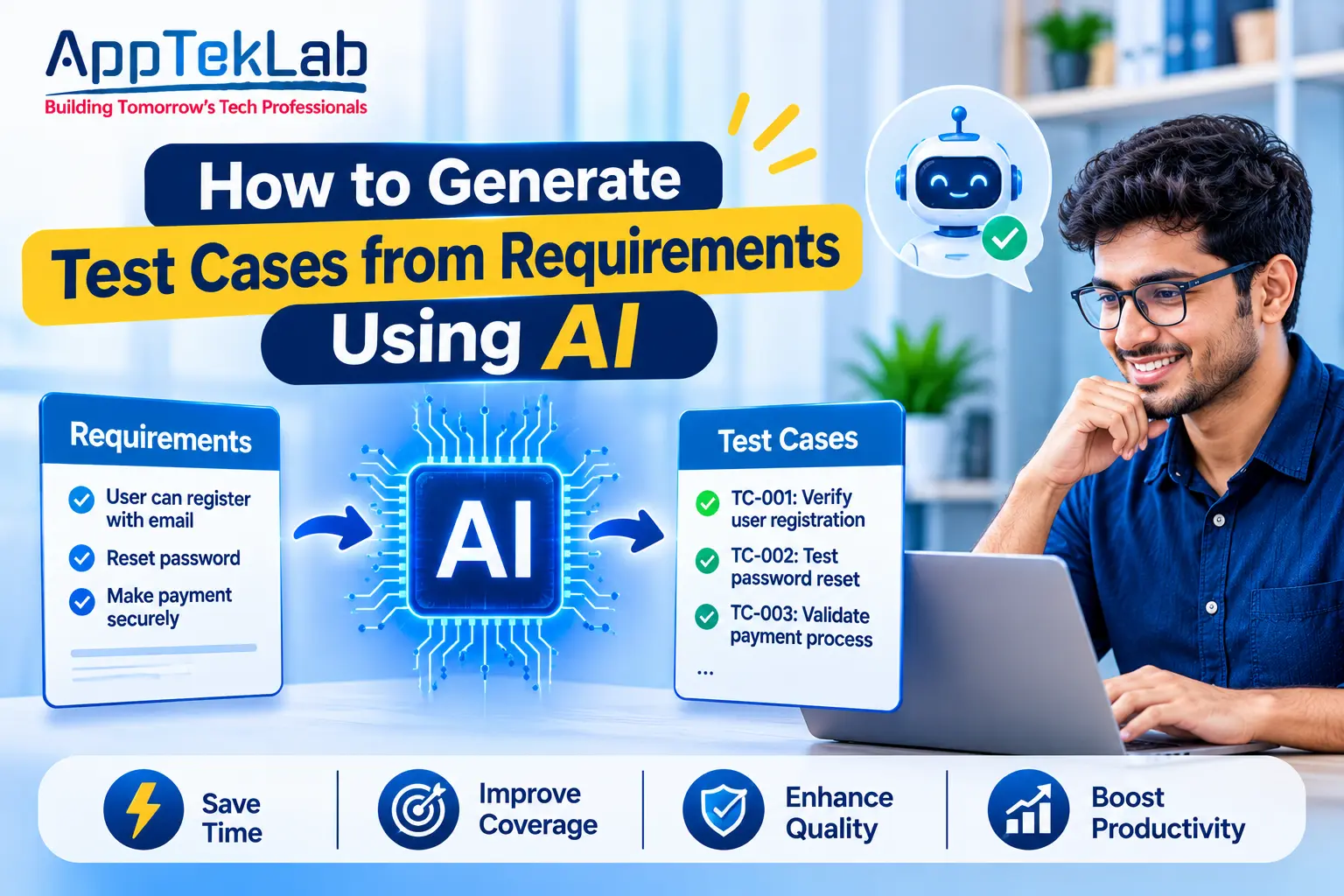
Writing thorough test cases from product requirements has always been one of the most time-consuming parts of software quality assurance. Requirements arrive in messy formats—user stories, acceptance criteria, Confluence pages, Figma annotations, or hurried Slack threads—and turning them into clear positive, negative, and edge-case scenarios takes hours of careful analysis. Today, modern quality teams are learning how to generate test cases from requirements using ai to speed up test design, uncover overlooked edge cases, and keep test suites aligned with shifting product specs.
AI does not replace human critical thinking or domain expertise, but it acts as a fast, tireless drafting partner. When guided with structured prompts, clear acceptance criteria, and strong QA fundamentals, AI helps testers spend less time typing repetitive steps and more time exploring risky workflows, validating integrations, and partnering with developers.
Why Generating Test Cases from Requirements with AI Matters
In fast-moving Agile sprints, requirements often evolve mid-cycle. When a product owner tweaks a checkout rule or adds a role permission on Wednesday, manual test authors can easily fall behind or miss subtle side effects.
Using AI during requirements analysis helps teams in several practical ways:
- Faster test coverage: Turn user stories and business rules into structured scenarios in minutes rather than hours.
- Better edge-case discovery: Prompt AI to think through boundary values, null inputs, permission mismatches, and failed network states.
- More consistent formatting: Keep preconditions, test steps, test data, and expected results uniform across the whole QA team.
- Earlier defect prevention: Ambiguous requirements often surface when you try to write tests for them—AI makes vague acceptance criteria stand out immediately.
If you are still building your core testing habits, mastering traditional design techniques first—like equivalence partitioning and boundary value analysis—makes AI output dramatically better. A structured manual software testing course helps reinforce those foundational skills so you know what good test cases look like before automating your drafting workflow.
Step-by-Step: How to Generate Test Cases from Requirements Using AI
Getting reliable test cases from an LLM or AI testing assistant requires more than pasting a sentence and hoping for perfection. Follow this repeatable workflow to get clean, actionable results.
1. Clean and Structure the Raw Requirements First
AI mirrors the clarity of the input you give it. Before generating tests, gather the relevant user story, acceptance criteria, business rules, and any UI or API notes in one place.
Remove contradictory notes or outdated comments where possible, and explicitly separate functional behavior from non-functional expectations like response times or security rules. If a requirement says "Users can apply a discount code," add context such as expiration dates, minimum cart totals, one-time-use limits, and stackability rules.
2. Define the Output Schema and Test Types
Tell the AI exactly how you want each test case formatted so you can paste it straight into Jira, TestRail, Zephyr, or a spreadsheet. A strong schema usually includes:
- Test Case ID and Title
- Test Type: Positive, Negative, Boundary, or Edge Case
- Preconditions
- Step-by-Step Actions
- Sample Test Data
- Expected Result
Explicitly asking for negative and edge cases is crucial. Left to default prompts, AI often leans heavily toward happy-path scenarios unless you push it to test invalid states, unauthorized access, and extreme values.
3. Craft a Context-Rich Prompt
A focused prompt gives the AI boundaries, domain context, and expectations. Here is a practical template you can adapt:
"Act as a senior QA engineer. Based on the following user story and acceptance criteria, generate comprehensive functional test cases covering positive flows, negative flows, boundary values, and edge cases. Format each test case with ID, Category, Preconditions, Steps, Test Data, and Expected Result. Flag any ambiguous requirements as questions for the product team."
Notice that final line asking AI to flag ambiguities. That turns test generation into a requirements-review step that catches gaps before coding finishes.
4. Review, Prune, and Enrich with Domain Context
Never treat raw AI output as final. Read through every generated test case with a skeptical eye to catch three common issues:
- Hallucinated features: AI may invent UI buttons, error messages, or business rules that do not exist in your product.
- Redundant scenarios: Prompts asking for broad coverage sometimes produce near-duplicate test cases with slightly different wording.
- Missing system context: AI does not automatically know your legacy database quirks, third-party payment timeouts, or internal feature flags unless you supply them.
Once you trim duplicates and fix inaccuracies, add specific test data values, environment notes, and links back to the requirement ID for traceability.
5. Connect Generated Cases to Automation and Regression Suites
Once your requirement-based test cases are approved, decide which ones belong in manual exploratory passes and which ones should become automated checks. Stable smoke, API, and regression flows are prime candidates for scripting once the UI or endpoint contracts settle.
Teams scaling up technical validation often pair AI-assisted test design with dedicated automation testing training or explore modern AI-powered software automation workflows to maintain scripts and analyze test results faster.
Best Practices and Common Pitfalls to Avoid
Learning how to generate test cases from requirements using ai is only half the battle; sustaining quality over months of releases requires discipline.
Practical Best Practices
- Feed small, focused slices: Generating test cases for one epic at a time overwhelms context and blurs details. Work story by story or feature by feature.
- Maintain a prompt library: Save proven prompts for APIs, forms, role-based access control, and checkout flows so new team members get consistent results.
- Track requirement coverage: Map generated test cases back to acceptance criteria so nothing is accidentally skipped during sprint sign-off.
- Keep sensitive data out: Strip real customer PII, production credentials, and proprietary secrets before pasting requirements into external AI tools.
Pitfalls That Slow Teams Down
- Blindly trusting unverified output: Shipping unreviewed AI test cases can create false confidence if steps reference non-existent behavior.
- Over-bloating test suites: Generating dozens of low-value permutations for trivial screens increases maintenance cost without reducing real risk.
- Ignoring non-functional constraints: Functional test cases alone will not catch slow queries, race conditions, or mobile layout glitches. Exploring broader software testing programs can help teams balance functional coverage with performance, mobile, and data validation.
Frequently Asked Questions (FAQ)
What types of requirements work best when generating test cases with AI?
Clear user stories with explicit acceptance criteria, business rules, validation constraints, and workflow states work best. When requirements are brief or high-level, AI can still draft initial scenarios, but you will need to review them more closely and ask clarifying questions to fill in missing edge cases and business exceptions.
Can AI replace manual test case design completely?
No. AI excels at drafting structured steps quickly and brainstorming variations, while human testers bring product intuition, risk prioritization, usability awareness, and knowledge of how real users behave under pressure. The strongest QA teams use AI to handle repetitive drafting while humans focus on strategy, exploratory testing, and critical edge cases.
How do I stop AI from inventing features that are not in our requirements?
Instruct the AI to rely strictly on the provided requirements and explicitly mark assumptions or missing details rather than guessing. Reviewing output against wireframes, API specs, and acceptance criteria—and pruning any steps that assume unconfirmed UI elements or error messages—keeps your test suite accurate.
How can teams learn how to generate test cases from requirements using AI effectively?
Start by practicing with real past user stories from your backlog and comparing AI-generated test cases against cases written by experienced QA engineers. Combining strong test design fundamentals with hands-on prompting experiments helps testers spot gaps quickly, refine output formats, and build reliable workflows.
What is the best way to format AI-generated test cases for Jira or TestRail?
Request a structured format—such as a markdown table or labeled fields—containing a test case ID, scenario type, preconditions, numbered steps, test data, and expected results. Consistent structure makes it easy to copy, import, or convert scenarios into Gherkin (Given/When/Then) format when collaborating with developers and product managers.
Does generating test cases with AI help catch bad requirements early?
Yes. When you ask AI to generate positive, negative, and boundary test cases from a requirement, missing rules—such as what happens on duplicate submissions, expired tokens, or empty fields—become obvious right away. Bringing those questions to refinement meetings before development starts saves rework across the whole team.