Playwright vs Selenium: The 2026 Enterprise QA Shift
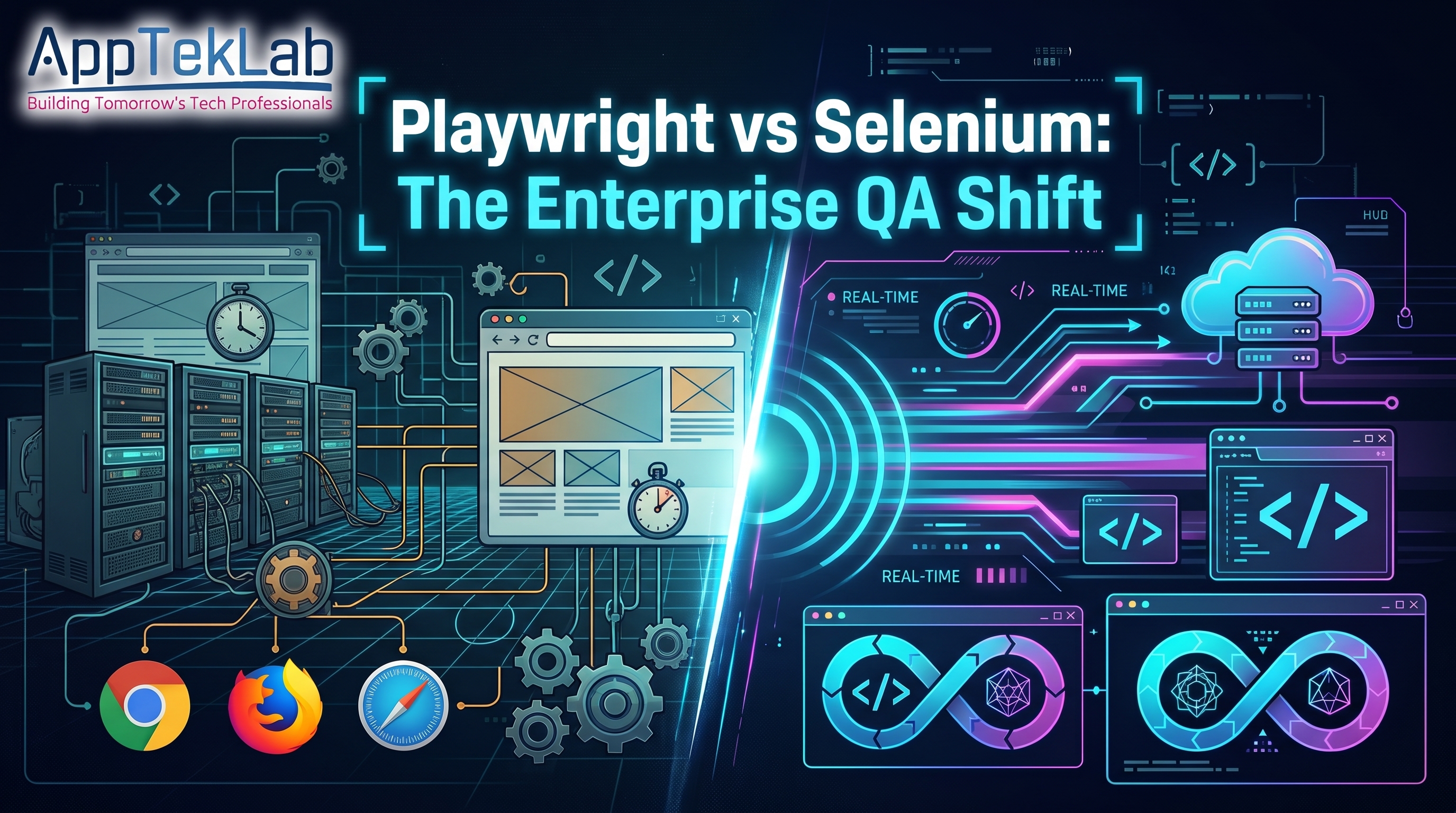
Enterprise engineering benchmarks show development teams rapidly retiring legacy Selenium Grid infrastructure in favor of Playwright. The migration is driving down CI/CD cloud runner compute costs by up to 60% while eliminating chronic flaky build failures.
Recent ecosystem surveys indicate Playwright now powers nearly half of new continuous integration pipelines, challenging Selenium’s long-standing dominance. For engineering leads, the shift is not merely a tooling preference; it represents a fundamental transition toward event-driven test architectures designed for modern web applications.
Playwright vs Selenium: The Core Architectural Shift Driving QA Pipelines
Evaluating modern automation requires looking deeper than syntax differences. Selenium revolutionized web automation two decades ago, yet modern front-end frameworks and continuous delivery demands have exposed the limitations of legacy WebDriver implementations.
Below is an architectural breakdown of the key factors accelerating the enterprise transition from Selenium to Playwright:
1. WebSocket Architecture vs. Legacy HTTP WebDriver Protocol
Selenium relies on the W3C WebDriver standard, communicating with browsers through continuous HTTP request-response cycles. Every click, element query, and assertion requires an individual HTTP roundtrip to a browser driver binary. This polling model adds inherent latency to every step of a test suite.
Playwright eliminates HTTP driver binaries entirely. It establishes a persistent, bidirectional WebSocket connection directly to browser engines using the Chrome DevTools Protocol (CDP) and native equivalents for Firefox and WebKit. Because commands transmit over a single continuous connection, execution latency drops dramatically, enabling rapid command execution and real-time DOM event listening.
2. Auto-Waiting and the Elimination of Flaky Element Selectors
Flaky tests remain the largest source of wasted engineering hours in continuous deployment pipelines. In Selenium, dynamic single-page applications (built on React, Vue, or Angular) frequently trigger StaleElementReferenceException or ElementNotInteractableException. Engineering teams often band-aid these issues with explicit WebDriverWait conditions or brittle Thread.sleep calls.
The Playwright automation framework resolves this through built-in auto-waiting. Before executing any action—such as .click() or .fill()—Playwright performs a battery of automated actionability checks. It verifies that the targeted element is attached to the DOM, visible, stable (not animating), enabled, and ready to receive pointer events. This native event synchronization eliminates the need for arbitrary wait timers.
3. CI/CD Compute Efficiency and Parallel Execution Benchmarks
Continuous testing costs scale directly with cloud runner execution time. Selenium Grid configurations require spinning up heavy virtual machines or container clusters running separate browser instances, which consumes extensive RAM and CPU.
Playwright uses isolated BrowserContexts. A single browser engine process launches once, and individual test cases run inside independent, incognito browser contexts in milliseconds. This lightweight sandboxing enables massive parallelism on standard CI virtual machines without memory bloat, drastically improving CI/CD test execution speed and cutting monthly cloud compute bills.
4. Built-in Tracing, Video, and Network Interception
Diagnosing a failed regression run in Selenium typically requires piecing together console logs and sporadic screenshots. Setting up request mocking or network throttling often demands third-party proxy tools like BrowserMob.
Playwright provides built-in observability tools out of the box:
- Playwright Trace Viewer: Captures full execution timelines, DOM snapshots for each step, network request/response waterfalls, and console outputs without external plugins.
- Native Network Mocking: Intercepts and stubs REST and GraphQL APIs directly at the routing level to simulate edge-case backend outages.
- Deterministic Video & Screencasts: Automatically records failed tests to pinpoint UI regressions instantly.
For teams managing distributed backend microservices, understanding system resilience under variable network conditions is vital, as outlined in our analysis of what is performance testing.
5. Multi-Language and Framework Ecosystem Maturity
Selenium retains an extensive history of multi-language support (Java, C#, Python, JavaScript, Ruby). Many long-standing enterprise codebases remain anchored in Selenium due to mature Java/TestNG test suites.
Playwright has achieved full parity across major languages, offering first-class bindings for TypeScript/JavaScript, Python, Java, and .NET. Crucially, Playwright’s TypeScript implementation aligns directly with modern full-stack development stacks, allowing front-end engineers and QA engineers to write tests in the same language and repository.
6. The True Cost of Infrastructure: Grid Maintenance vs. Headless Workers
Maintaining an enterprise Selenium Grid—whether self-hosted on Kubernetes or purchased through cloud providers—demands continuous administrative overhead. Teams must patch browser binaries, update driver executables, manage port forwarding, and debug node crashes.
Migrating from Selenium to Playwright eliminates external grid binaries. Playwright bundles and manages hermetic browser builds that install directly via simple CLI commands. Tests execute seamlessly on standard container runners (such as GitHub Actions, GitLab CI, or Jenkins) without maintaining dedicated remote browser nodes.
Comparative Breakdown: Playwright vs. Selenium
|
Feature / Metric |
Selenium WebDriver |
Playwright Framework |
|
Communication Protocol |
HTTP REST over W3C WebDriver |
Persistent Bidirectional WebSocket (CDP) |
|
Element Synchronization |
Manual (Thread.sleep, WebDriverWait) |
Automated built-in actionability checks |
|
Test Isolation Model |
Separate browser instances / WebDriver sessions |
Lightweight incognito BrowserContexts |
|
Execution Speed |
Moderate to slow (HTTP polling latency) |
Ultra-fast (native parallel workers) |
|
Built-in Debugging |
Screenshots & basic driver logs |
Trace Viewer, DOM snapshots, network waterfalls |
|
Network Mocking |
Requires external proxy tools |
Native request routing and interception |
|
Infrastructure Overhead |
High (Selenium Grid hub/node maintenance) |
Low (direct execution on standard CI runners) |
|
Primary Ideal Stack |
Legacy Java / C# enterprise ecosystems |
Modern TypeScript, Python, and microservice CI/CD |
Preparing QA Engineers for Next-Generation Automation Toolchains
The ongoing shift from legacy test grids to modern frameworks reflects broader trends across software quality engineering. Manual testing alone is no longer sufficient for teams shipping code multiple times a day. While exploratory checks protect user experience and visual polish, enterprises expect QA professionals to design, orchestrate, and maintain automated delivery gates.
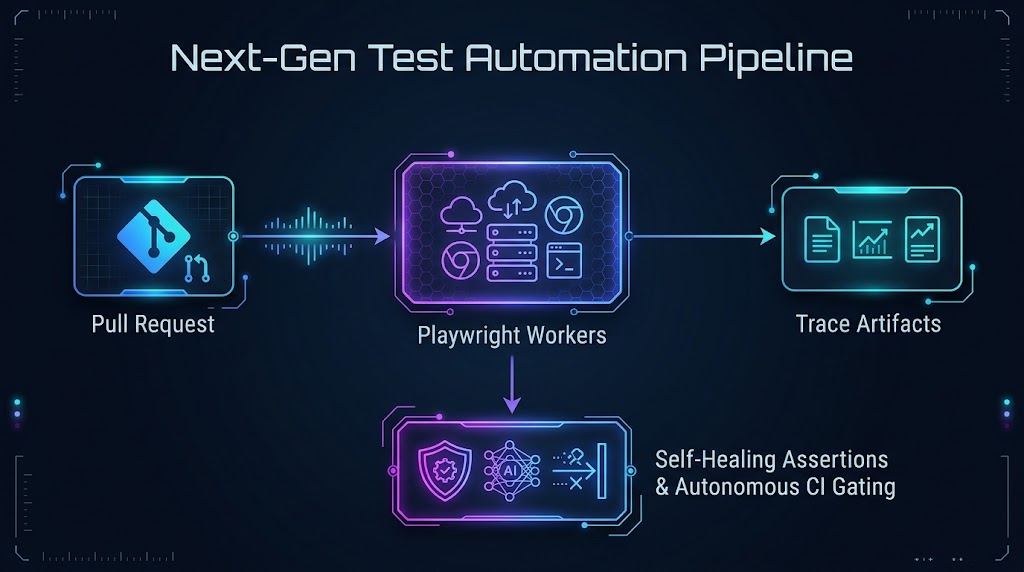
Understanding when to balance human-led exploratory testing with automated pipelines is essential for modern software delivery, a balance explored in detail in our breakdown of Manual Testing vs Automation Testing.
Furthermore, modern QA teams are enhancing Playwright pipelines with predictive defect analytics and autonomous test synthesis. Professionals looking to stay ahead of this architectural evolution can master these workflows through AI-powered software automation testing.
To build comprehensive competencies covering STLC fundamentals, locator strategies, and CI/CD implementation, explore industry-standard software testing courses or review the full curriculum across all courses at AppTekLab.
Frequently Asked Questions (FAQ)
Can Playwright completely replace Selenium in enterprise environments?
Yes, Playwright can replace Selenium for modern web application testing. It supports Chromium (Chrome, Edge), Firefox, and WebKit (Safari) across Windows, Linux, and macOS. However, organizations with large legacy Java frameworks or requirements for legacy browsers (such as Internet Explorer) may retain Selenium for existing suites while adopting Playwright for new microservices.
Does Playwright support mobile application testing?
Playwright natively supports mobile web testing by emulating device viewports, touchscreens, user agents, and geolocation for mobile Chrome and Safari. However, it does not automate native iOS or Android mobile applications. For native apps, Appium remains the primary industry framework.
How difficult is migrating from Selenium to Playwright?
Migrating straightforward test suites is relatively simple due to Playwright’s clean locator syntax and native auto-waiting. The primary migration effort involves refactoring custom Selenium helper functions (such as explicit waits and custom alert handlers) into native Playwright assertions and migrating driver initialization into Playwright fixtures.
Why does Playwright execute tests faster than Selenium?
Playwright communicates over a single, persistent WebSocket connection directly with browser binaries rather than making repeated HTTP requests via intermediary drivers. Additionally, its lightweight browser context architecture enables parallel test runs within a single browser process, eliminating the RAM overhead of launching multiple full browser windows.
Strategic Verdict for Modern Test Teams
The enterprise migration toward Playwright highlights a permanent evolution in software delivery: test frameworks must match the speed and architecture of modern web technologies. Selenium established the foundation of open-source automation, but Playwright's WebSocket architecture, zero-config auto-waiting, and reduced CI compute costs make it the premier choice for modern, fast-moving engineering teams. Organizations that modernize their QA automation frameworks today will reduce deployment bottlenecks, lower infrastructure costs, and deliver more reliable software to production.