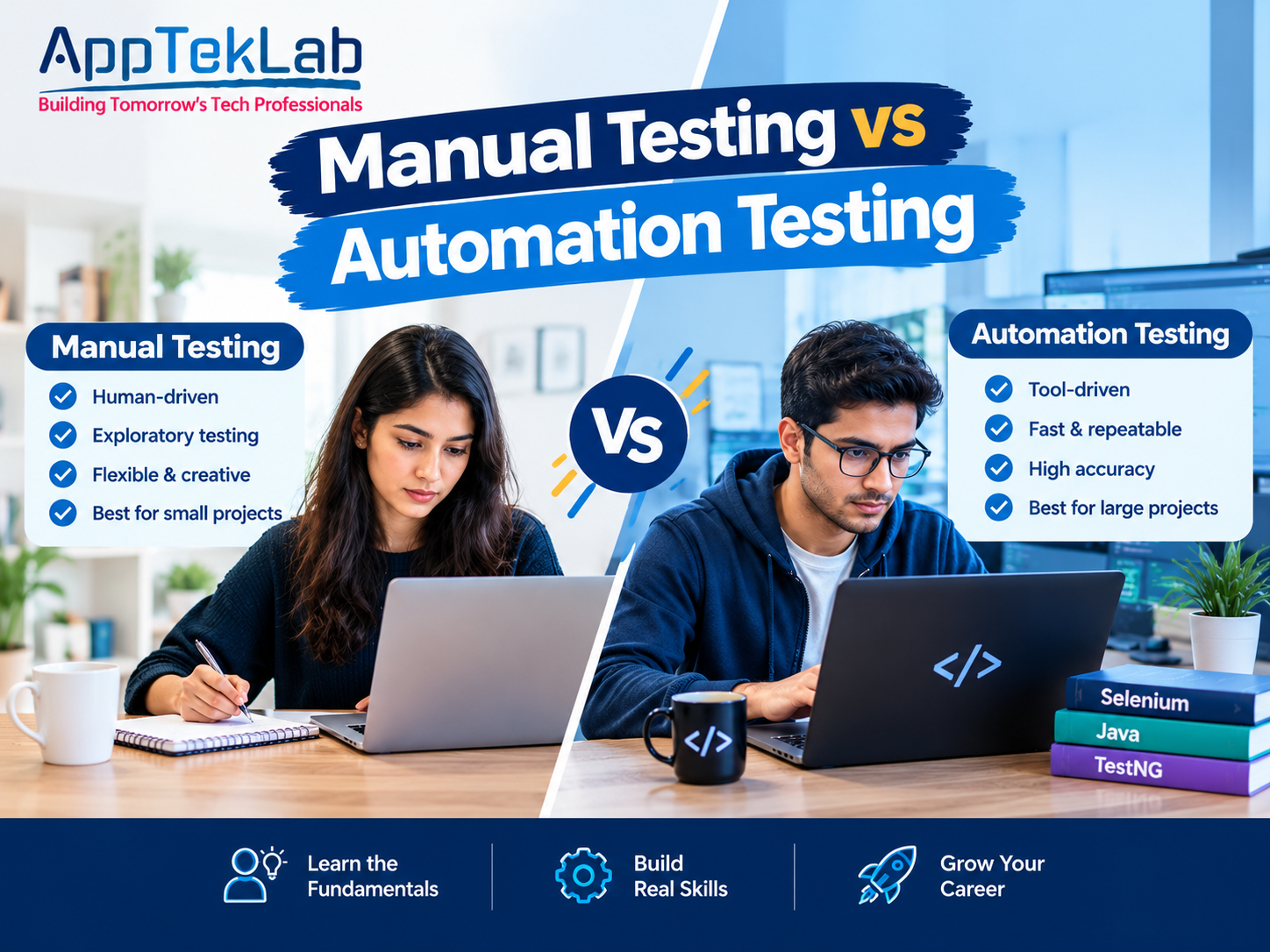
Manual Testing vs Automation Testing: The Complete Strategic Guide
Software development moves faster today than ever before. Releasing bug-free web and mobile applications demands a deliberate, robust quality assurance approach. When designing your quality assurance roadmap, one fundamental question inevitably arises: how do you balance Manual Testing vs Automation Testing?
Neither methodology serves as a complete replacement for the other. Each approach brings unique strengths, operational limits, and distinct cost dynamics to your development lifecycle.
This comprehensive guide unpacks the architectural mechanics, key trade-offs, financial considerations, and hybrid frameworks of both testing paradigms. Learn how to choose the right strategy to protect system stability, speed up releases, and maximize ROI. If you are preparing to break into the tech industry, enrolling in dedicated software testing courses provides structured, practical guidance across both fundamental disciplines.
Manual Testing vs Automation Testing: A Comprehensive Analysis
Choosing the right testing strategy requires looking beyond surface-level definitions. While manual testing relies on human observation and adaptability, automation testing introduces programmatic speed, continuous execution, and scalable test coverage. To build an efficient QA lifecycle, engineering teams must evaluate how each method operates across design, implementation, execution, and cost.
Below, we break down this critical comparison across seven core dimensions—from conceptual foundations and functional disciplines to economics, use cases, and modern hybrid integration:
1. What Is Manual Testing? The Foundation of Quality
Manual testing is the process where human QA engineers manually interact with an application to identify bugs, visual anomalies, usability issues, and system defects.
Testers do not use automated test runners or programming frameworks to execute these test cases. Instead, they replicate genuine user journeys directly within web browsers, mobile interfaces, and desktop environments. They enter inputs, submit forms, navigate intricate user flows, and observe how the application reacts.

Manual testing relies heavily on human cognitive empathy, curiosity, and visual deduction. While an automated script simply checks whether a UI element renders in the DOM, a human tester notices if a button is misaligned, if colors clash, or if an interface feels awkward and sluggish.
For those wanting to master test cases, STLC models, and defect management, taking a structured manual software testing course establishes the foundational skills needed before handling complex toolchains.
Core Disciplines of Manual Testing:
- Exploratory Testing: Testers inspect the system without pre-written test scripts. They follow intuition, uncover hidden functional blind spots, and probe system limits.
- Usability Testing: Evaluates overall user experience, visual hierarchy, ergonomics, and accessibility compliance.
- Ad-Hoc Testing: Unscripted testing where engineers intentionally attempt to break business logic through random or unexpected inputs.
- User Acceptance Testing (UAT): Verifies that the complete end-to-end product satisfies actual business goals and user expectations before production release.
2. What Is Automation Testing? Speed and Scalability
Automation testing is the practice of using specialized software tools, programmable scripts, and execution frameworks to execute test suites automatically.
In automation testing, pre-written code runs predefined test scenarios. The tool submits inputs, initiates actions, and programmatically asserts whether the observed output matches expected criteria.
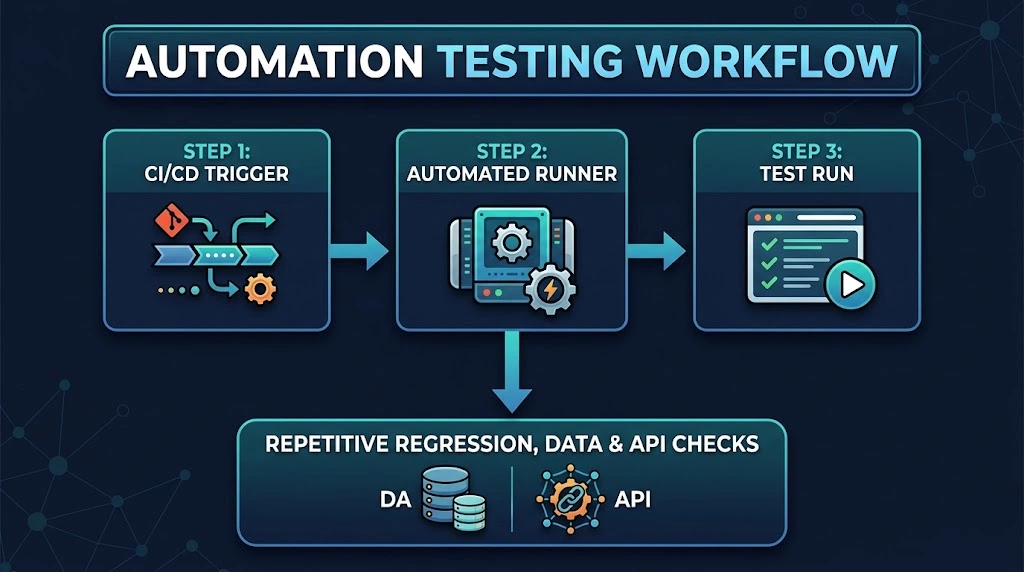
Automated testing eliminates human intervention during execution. It allows development teams to execute hundreds of complex test suites continuously. It is the primary engine behind modern Continuous Integration and Continuous Delivery (CI/CD) pipelines, enabling rapid and safe deployments. Modern engineering teams also adopt cutting-edge methods like AI-powered software automation testing to write, maintain, and execute resilient test scripts with generative AI.
Core Disciplines of Automation Testing:
- Regression Testing: Guarantees that new code commits, dependency upgrades, or bug fixes do not break existing platform features.
- Continuous Integration (CI) Smoke Tests: Fast test suites that validate base build health before code is merged into shared branches.
- API and Microservice Testing: Programmatically verifies HTTP endpoints, payload validations, status codes, and database mutations.
- Load and Stress Testing: Simulates thousands of concurrent virtual users to evaluate server resilience under peak traffic conditions, as detailed in our guide on what is performance testing.
3. Side-by-Side Comparison Matrix
Selecting the right testing approach requires understanding how both methods perform across core software delivery vectors:
|
Feature / Metric |
Manual Testing |
Automation Testing |
|
Execution Agent |
Human QA engineers and domain specialists. |
Specialized tools, scripts, and test runners. |
|
Setup Cost & Capital |
Low upfront investment; requires minimal tooling. |
High upfront investment in frameworks and infrastructure. |
|
Long-Term Operational Cost |
High recurring costs that scale linearly with features. |
Low incremental cost per run once scripts are written. |
|
Execution Speed |
Dependent on human physical working limits. |
Highly rapid; executes parallel runs in minutes. |
|
Susceptibility to Fatigue |
Moderate to high on repetitive, mundane tasks. |
Zero; scripts perform exact assertions every time. |
|
Design & UX Assessment |
Exceptional; human eyes catch subtle design flaws. |
Incapable; validates raw code logic, not aesthetic polish. |
|
Test Maintenance |
Negligible; requirements update verbally or via docs. |
High; UI shifts and backend updates require script updates. |
|
CI/CD Compatibility |
Poor; cannot be automated inside release pipelines. |
Native; automatically triggers on commits and merges. |
|
Exploratory Power |
High; testers can experiment freely on the fly. |
Low; scripts only check what they are explicitly coded to check. |
4. Deep-Dive Comparison: Speed, ROI, and Human Insight
Understanding when to leverage each technique requires evaluating critical engineering and business factors.
- Speed, Scale, and Throughput: Manual testing moves at the pace of human hand-eye coordination. Verifying a complex checkout workflow across desktop Chrome, Safari, Firefox, iOS, and Android takes hours for a human tester. Automated test runners, by contrast, use headless browser instances running concurrently in containerized cloud runners to execute multi-browser validation in minutes.
- Initial Costs vs Long-Term ROI: Manual testing offers low barrier-to-entry economics because it requires minimal tooling. However, as applications grow, manual testing costs scale linearly with each release. Automation demands heavy upfront investment to configure frameworks and pipelines, but once built, running an automated test suite thousands of times carries nearly zero additional operational cost.
- Human Intuition vs Algorithmic Rigor: Software is built for humans. An automated test script checking an e-commerce checkout might verify that a field accepts input and returns a 200 OK status, but it will never notice if an updated banner blocks the button on mobile viewports. Aspiring engineers learning how to become a software tester learn to blend this human perspective with disciplined technical inspection.
5. When to Choose Manual Testing
Manual testing remains essential in several key software development scenarios:
- Early-Stage Prototyping & MVPs: When product requirements, user interfaces, and business logic shift weekly, automated scripts break constantly. Manual testing provides the agility early-stage startups need.
- Exploratory and Creative Testing: Unscripted testing uncovers edge cases that engineers never planned for. Human QA specialists intentionally probe unusual, creative user behaviors.
- Usability and User Experience Audits: Evaluating whether an onboarding funnel feels intuitive requires human perspective. Automated scripts cannot evaluate emotional satisfaction or cognitive ease.
- Hardware and Physical Device Interactions: Testing real-world physical triggers—such as camera scanning, GPS geofencing, or screen gestures—is often faster and more reliable when performed manually.
6. When to Choose Automation Testing
Automation testing is the preferred strategy for high-volume, structured, and predictable scenarios:
- Comprehensive Regression Testing: As codebases expand, manually verifying hundreds of historical workflows before every release becomes impractical. Automated regression suites run reliably in the background without slowing teams down.
- Performance, Load, and Stress Testing: Evaluating system stability under thousands of concurrent users cannot be done manually. Automation tools simulate distributed global traffic to test database throughput, API latency, and server health.
- Continuous Integration & Delivery Pipelines: Modern DevOps teams deploy code multiple times per day. Automated smoke tests gate each deployment to block regressions before code reaches production.
- Data-Driven Matrix Testing: Testing inputs across complex data permutations—such as varied currency formats, tax calculations, or localized character sets—is handled seamlessly through automated data loops.
7. The Modern Hybrid QA Strategy
Leading software engineering organizations do not treat manual and automation testing as competing philosophies. Instead, they implement a unified hybrid QA strategy.
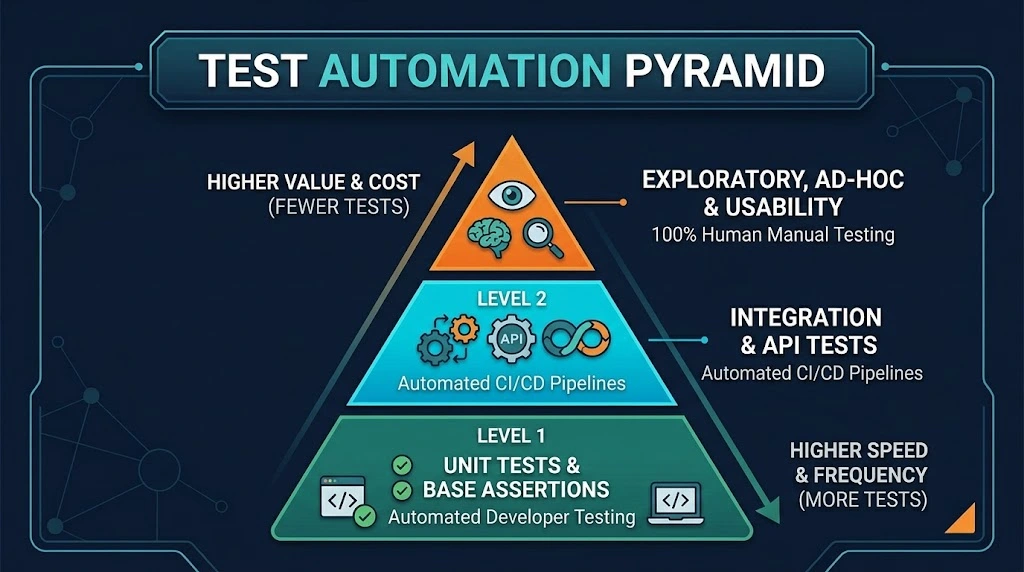
By adopting the classic Test Automation Pyramid:
- Base Layer (Unit & Integration): Developers write automated unit and component tests that cover the foundation of application logic.
- Middle Layer (API & Functional): QA automation engineers build end-to-end regression scripts covering core business transactions and critical API contracts.
- Top Layer (Human Intelligence): Skilled manual testers focus on exploratory edge cases, UI polish, accessibility, and high-impact user experience workflows.
This hybrid approach pairs the speed and precision of automation with the adaptability and insight of human testers.
Frequently Asked Questions (FAQ)
Can automation testing completely replace manual testing?
No. Automation testing cannot replace human intuition, visual context, or exploratory curiosity. Automation excels at verifying known outcomes against static assertions, while manual testers uncover unexpected usability defects, confusing UI layouts, and edge-case workflows that automated scripts are not programmed to catch.
When should a team transition from manual to automated testing?
Teams should adopt automation when their core features stabilize and repetitive regression testing begins delaying deployment schedules. If manual testers spend more than 40% of their time verifying existing features rather than inspecting new functionality, building an automated test suite becomes cost-effective.
Which programming languages are most popular for QA automation?
JavaScript/TypeScript (with frameworks like Playwright and Cypress) and Python or Java (with tools like Selenium and Appium) are standard industry choices. The best language typically matches the core tech stack used by your development team.
Is manual testing cheaper than automation testing?
Manual testing is cheaper in the short term because it requires minimal setup, basic tooling, and no dedicated infrastructure. However, for long-running and scaling projects, automation testing delivers a lower cost per test run, making it significantly more cost-effective over time.
Strengthen Your Testing Strategy
Balancing Manual Testing vs Automation Testing is not about picking a winner. It is about deploying each methodology where it delivers the highest impact. Use automation to handle high-frequency, repetitive regression runs, and rely on manual testing to safeguard user experience, visual presentation, and real-world usability.
To sharpen your technical skill set, access career tracks, and review live boot camps, explore the catalog of programs across all courses at AppTekLab to take your software engineering career forward.